Spreadsheets everywhere
Signings in one tab, expenses in another, mileage in a notes app. Tax season means a weekend of matching them all up.
Built for mobile notary signing agents
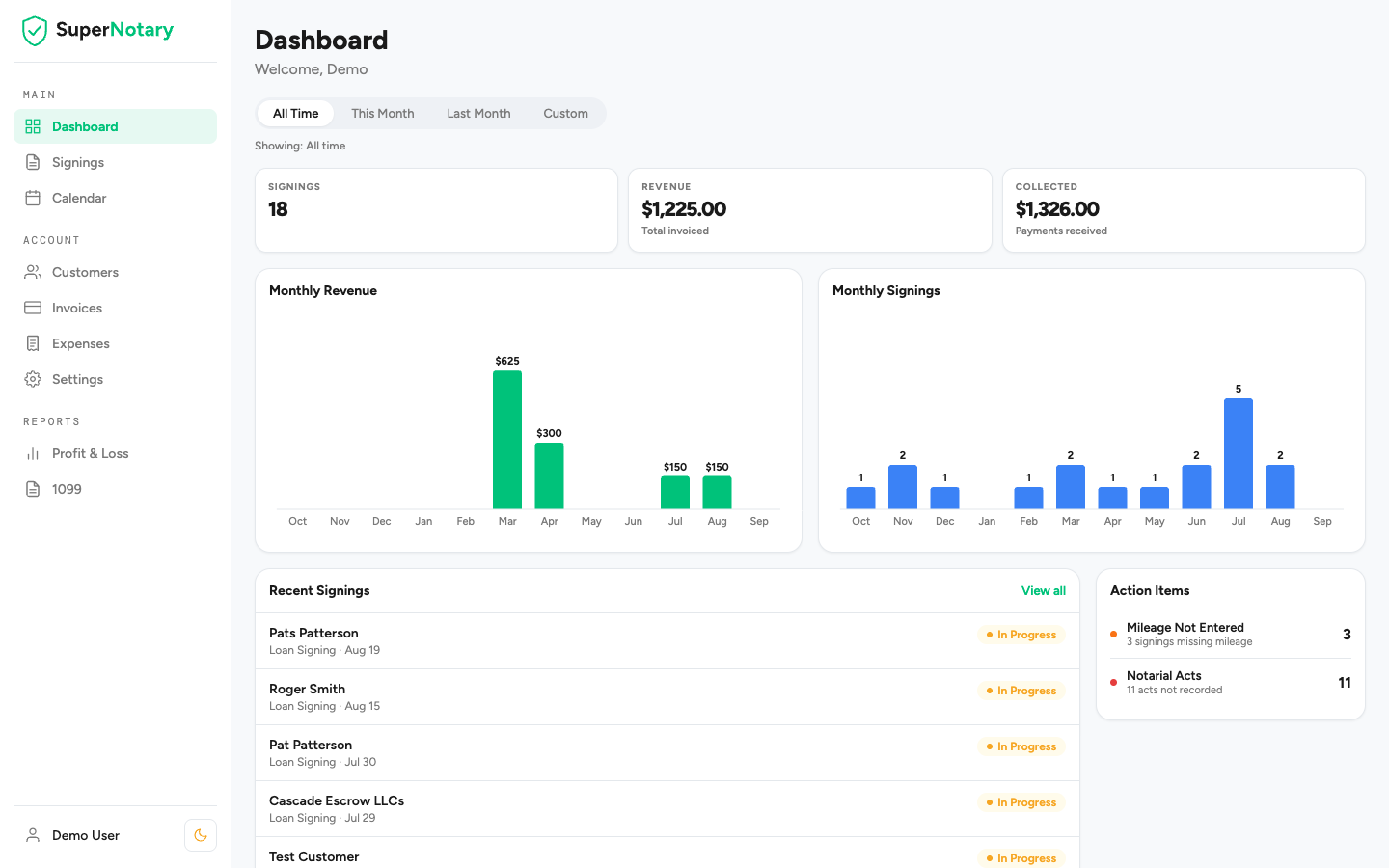
SuperNotary keeps your signings, invoices, expenses and mileage in one place and turns them into the reports your accountant asks for. On your laptop, on your phone, between appointments.
Signings in one tab, expenses in another, mileage in a notes app. Tax season means a weekend of matching them all up.
The tools built for notaries were built a long time ago. Small buttons, slow pages, and a phone experience that is really a desktop site squeezed down.
You know you are busy. You do not know which customers pay late, what a signing really costs you in miles and time, or what your year looks like before your accountant tells you.
From the first signing of the day to the report you hand your accountant in April.
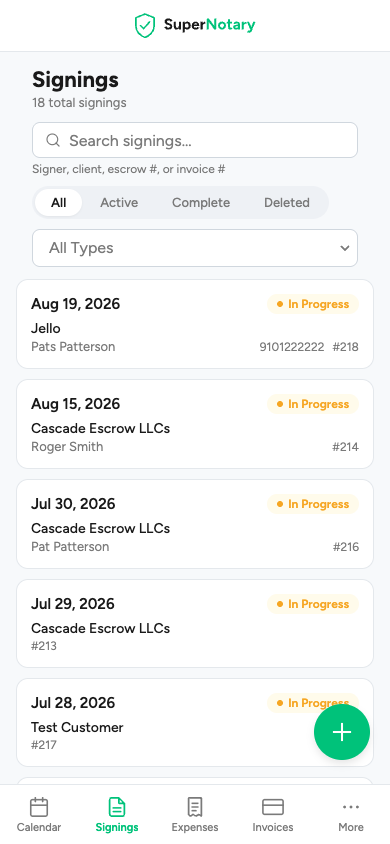
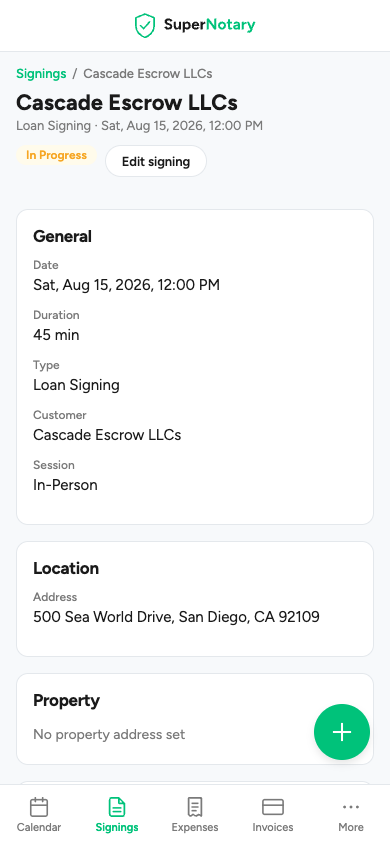
Every signing with its date, signers, address, loan type, escrow number and special instructions. Multi-stop signings and remote sessions included. Watch each one move from scheduled to completed to paid.
Turn a finished signing into an invoice with your logo and details already on it. Email it, see who has not paid, and record payments as the checks come in.
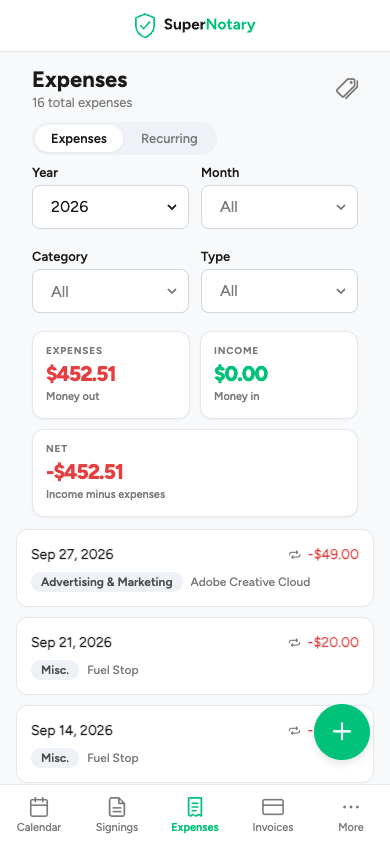
Snap a photo of a receipt and SuperNotary reads the vendor, date and amount and files it under a Schedule C category. Set up recurring expenses once and they take care of themselves.
Enter the signing address and the round trip from home is measured and priced at the IRS rate for that date. Every mile lands on the signing and in your deductions, with no notebook in the glovebox.
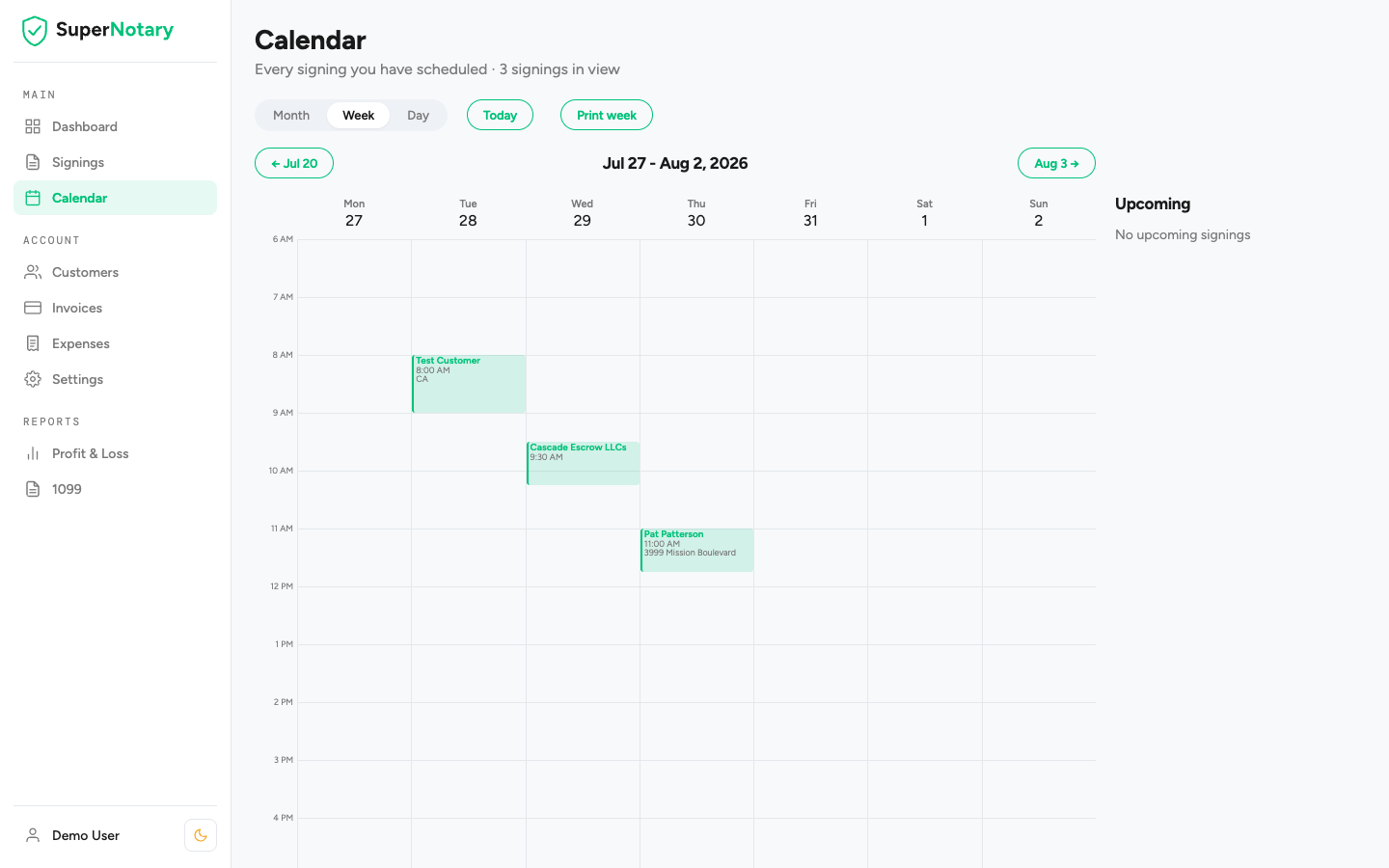
Month, week and day views of your signings. Block out the time you are not available, create an appointment with a drag, and print the week before you head out.
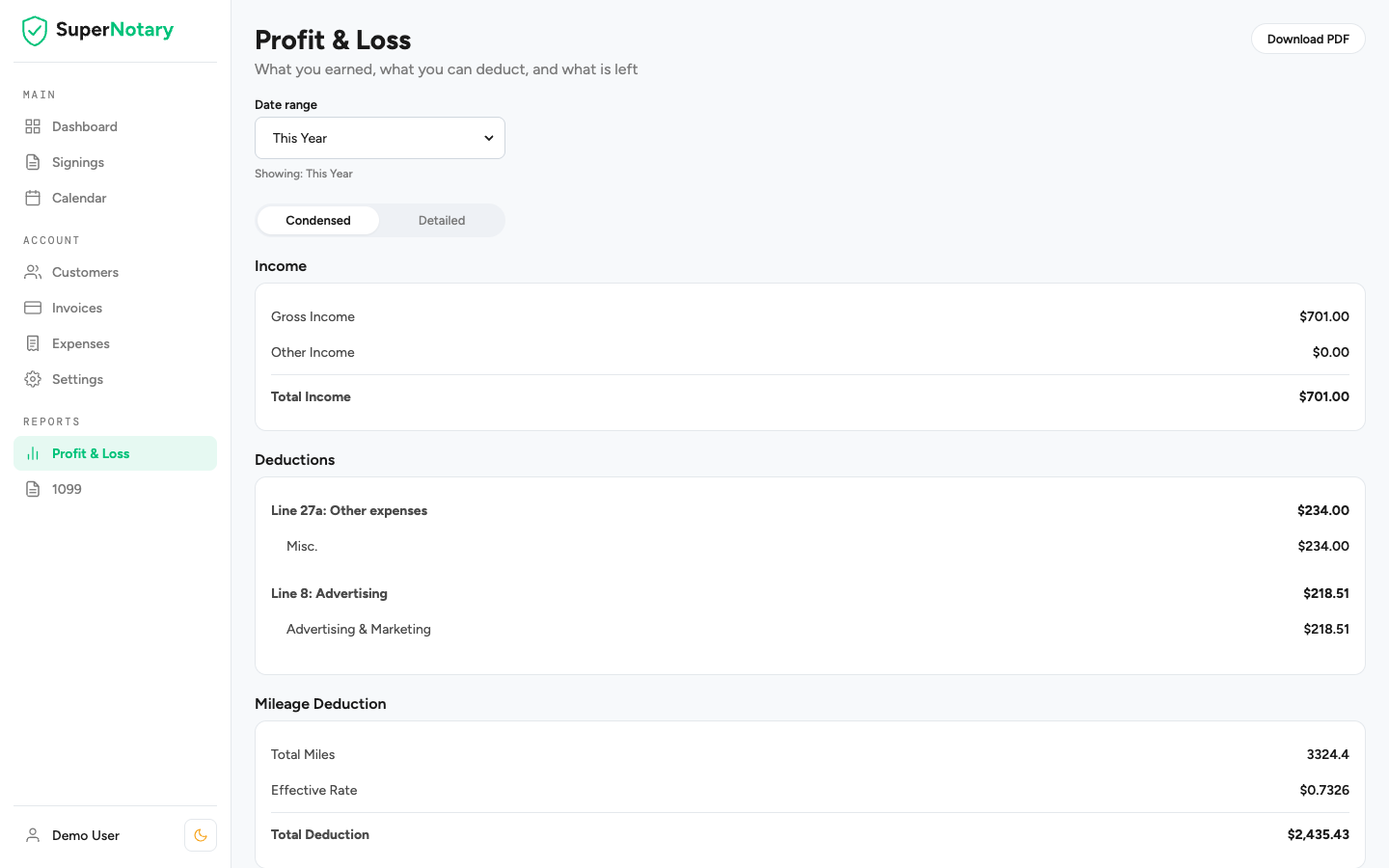
A Profit and Loss report, condensed or down to every line, and a 1099 report by customer. Both track the notarial fee exemption from self-employment tax. Download them as PDF and hand them to your accountant.
Also included
Two minutes. Your name, your email, and your home address so mileage can be measured.
Title companies, signing services, direct clients. Set their default fee once and every new signing starts with it.
Date, signers, address, loan type. The invoice, the mileage and the notarial acts follow from there.
Whenever you like. Profit and Loss, 1099, expenses by category, mileage totals. Ready for your accountant.
You should not have to fight your software. SuperNotary was designed for people who work from their phone, their car and their kitchen table.
| Topic | The old way | SuperNotary |
|---|---|---|
| On your phone | A desktop site squeezed onto a small screen | Designed for a phone first, and just as good on a laptop |
| Logging a signing | Screens of fields, most of them the same every time | One form with your customer's defaults already filled in |
| Receipts | A shoebox, or typing each one in by hand | Snap a photo. The vendor, date and amount are read for you |
| Mileage | Remember to write it down, or lose the deduction | Measured from the signing address at the IRS rate for that date |
| Tax season | Export, open a spreadsheet, lose a weekend | Two reports, downloaded as PDF, sent to your accountant |
| Getting help | A ticket number and a knowledge base | A reply from a person who builds the product |
| Updates | The same screens for years | Something new most weeks, often something you asked for |
SuperNotary is young and it moves fast. Most weeks something new ships, and most of it started as a request from a notary using the app. Ask for what you need. You will probably see it soon.
Every new feature is part of the one plan. There is no higher tier to unlock.
Write to us and you hear back from someone who builds SuperNotary, not a ticket queue. Help getting set up, a question about a report, an idea for a feature: the same people every time, and they can actually change the product.
Send a message and see for yourself.
No tiers, no per-signing fees, no features held back. Every report, every update, every improvement is in.
SuperNotary
$19a month
or $190 a year, two months free
Everything in SuperNotary, for one notary business.
Cancel any time. Your records are always yours to export.
Founding member
$12a month
$19 locked in for as long as you stay subscribed
For the first notaries who trust a new product. In return we ask one thing: tell us what you need.
Only the first 50 accounts. When they are gone, they are gone.
SuperNotary is a business expense, so the real cost is lower after taxes. For most signing agents it is a fraction of one signing fee a month.
SuperNotary is business software for notary signing agents. It keeps your signings, customers, invoices, payments, expenses and mileage in one place and turns them into the Profit and Loss and 1099 reports your accountant needs. It runs in your browser on a laptop or a phone.
No. SuperNotary costs $19 a month or $190 a year, and you can cancel at any time and keep access until the end of the period you paid for. The first 50 accounts get founding-member pricing of $12 a month for as long as they stay subscribed.
Yes. Open app.supernotary.io in your phone's browser and add it to your home screen. It was designed for a phone first, so logging a signing from the car takes about a minute. A native app for iOS and Android is in the works.
Every signing has an address. SuperNotary measures the drive from your home address to the signing and back, applies the IRS standard mileage rate for that date, and adds the deduction to the signing. When the IRS changes the rate, as it did halfway through 2026, the new rate is used from the right day. You can adjust any entry.
Fees a notary collects for notarial acts are exempt from self-employment tax. Many notaries never claim it because nobody tracks the acts. SuperNotary records the acts on each signing, applies your per-act fee and the cap you set, and shows the exempt total on your Profit and Loss report. It is a record for your tax preparer, not tax advice.
There is no automatic import yet. Most notaries start at the beginning of a month or quarter and keep the old records where they are. If you have a spreadsheet or an export, write to us and we will talk through the quickest way to get set up.
You. There are no ads, no trackers and no selling of information. Your records are stored encrypted on Amazon Web Services in the United States and backed up daily. You can download your reports and invoices as PDF at any time, and you can ask us to delete your account and everything in it.
Any time, from your account settings. You keep access until the end of the period you have paid for. Download your reports first if you want a copy.
Most weeks. New features usually start as a request from a notary using the app. If something would save you time, ask for it through the contact form on this page.
A question about a feature, help getting set up, or something you wish SuperNotary did: send it here. A real person reads every message and replies by email.
Most messages get an answer within a business day.
One plan. Everything included. Cancel any time.